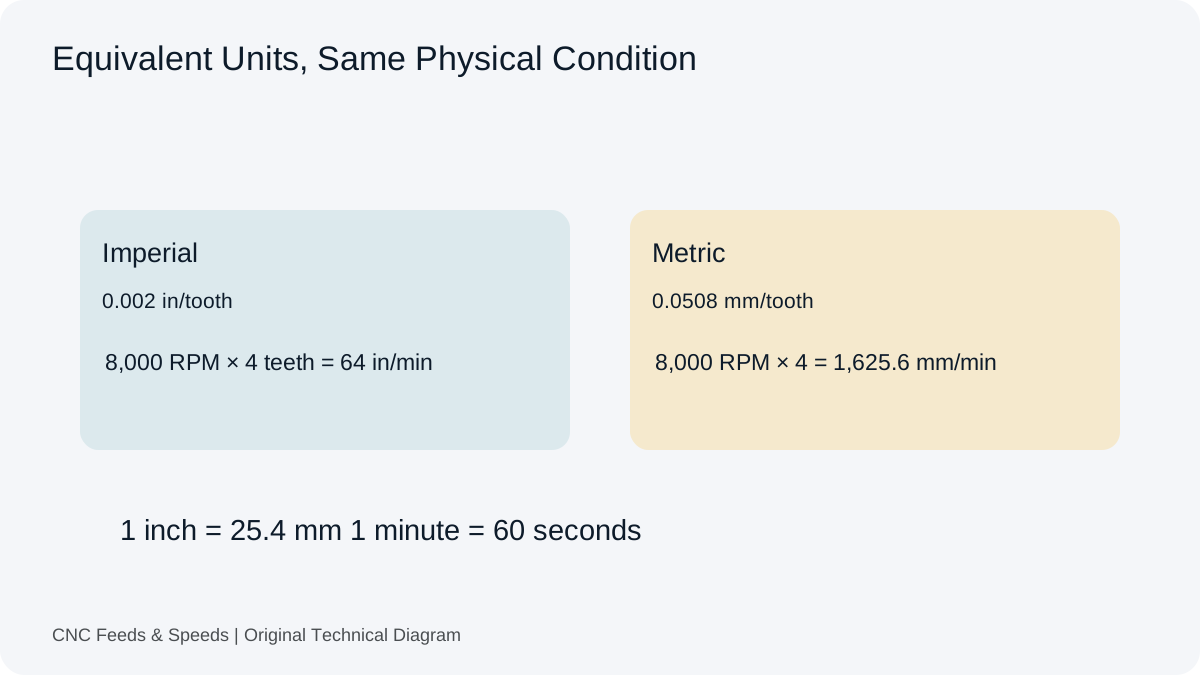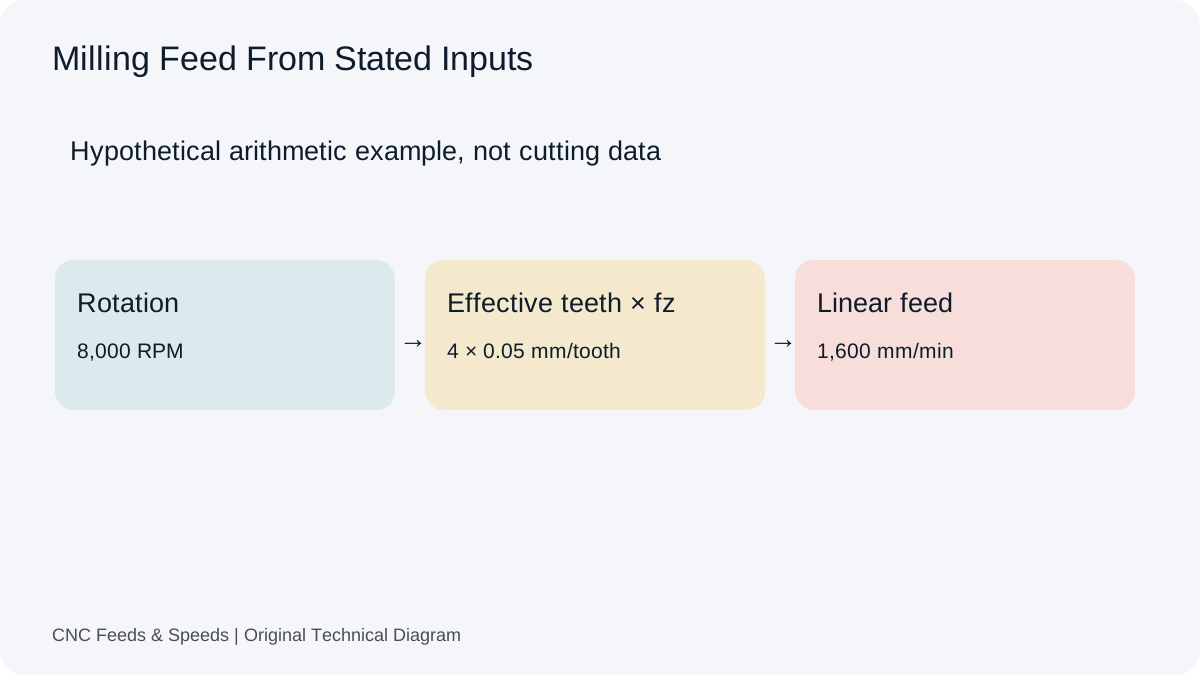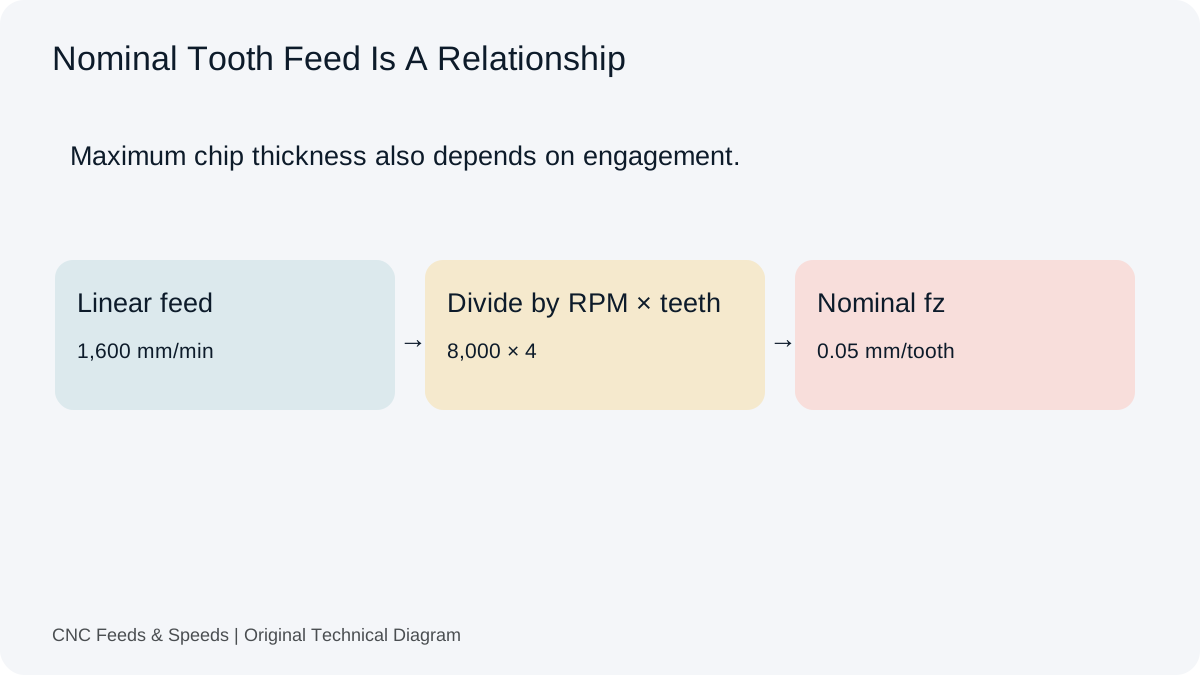
RPM describes spindle rotation. Feed rate describes linear advance per minute. In milling, keeping tooth feed and effective teeth constant means feed changes in proportion to RPM. If RPM changes while linear feed stays fixed, the implied feed per tooth changes instead.
The milling relationship
The core relationship is F = RPM × Z × fz. If RPM doubles while flute count and chip load stay constant, the arithmetic feed doubles. This is why a spindle-speed change should normally trigger a feed check rather than being treated as an independent adjustment.
Worked example
A 3-flute cutter at 10,000 RPM and 0.04 mm/tooth gives F = 10,000 × 3 × 0.04 = 1,200 mm/min. If the spindle is reduced to 8,000 RPM and the same chip load is intended, feed becomes 8,000 × 3 × 0.04 = 960 mm/min. If the feed is left at 1,200 mm/min instead, chip load rises to 0.05 mm/tooth.
Changing RPM because of a machine cap
Suppose a calculated SFM value calls for 15,000 RPM, but the spindle is limited to 12,000 RPM. You now have a different surface speed than the original calculation. You can either accept the lower surface speed or reassess the selected cutting condition from the toolmaker data. Do not pretend the capped RPM still produces the original SFM.
Feed changes during turning
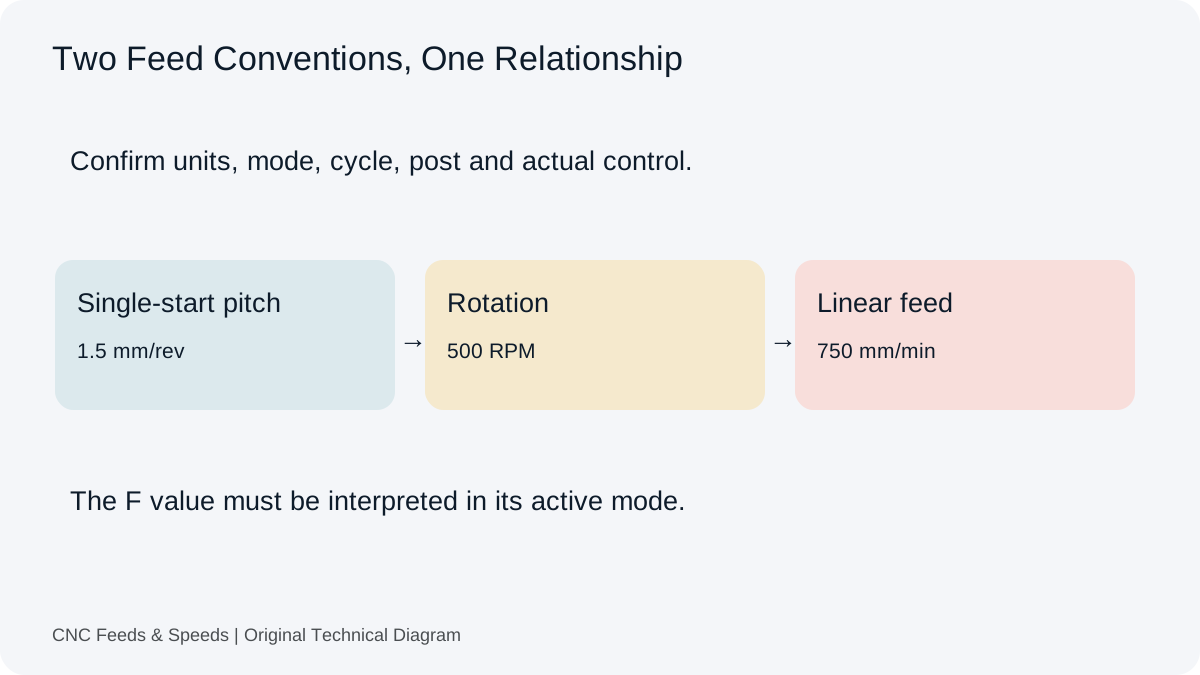
Turning adds another layer because feed is often expressed in mm/rev or in/rev. When RPM changes, feed rate changes automatically if feed per revolution remains constant. The relationship is F = RPM × f/rev. CSS can therefore change both spindle speed and linear feed while preserving the intended feed per revolution.
Feed and chip load are different views
Chip load is a per-tooth quantity. Feed rate is the machine command. Looking at both can make program review easier. If the feed seems unusually high, calculate the implied chip load. If the chip load seems wrong, calculate the feed that would produce it at the actual RPM.
Acceleration and machine behavior
A commanded feed is not always the instantaneous feed through every corner or entry. Controllers may slow in tight geometry, during look-ahead limits, or near acceleration constraints. The simple calculator assumes the commanded value and therefore does not model controller dynamics.
Practical tuning
When optimizing a cut, change one major variable at a time. Record RPM, feed, engagement, tool stick-out, material condition and observed load. This creates a useful record that can distinguish a true cutting-data improvement from an improvement caused by a different physical setup.
When feed should not simply scale
Plunging, ramping, helical entry, partial engagement and certain high-speed toolpaths can use different feed considerations than straight-line full engagement. The basic RPM/feed equation remains valid as arithmetic, but the process-specific feed may be deliberately reduced or transformed by the programmed motion.
A useful review sequence
Check cutting speed, calculate RPM, check spindle limit, calculate feed from chip load, check machine feed limit, inspect engagement, then validate the first pass. This separates arithmetic from process selection and makes the decision easier to document.
When Your Spindle Cannot Reach The Requested RPM
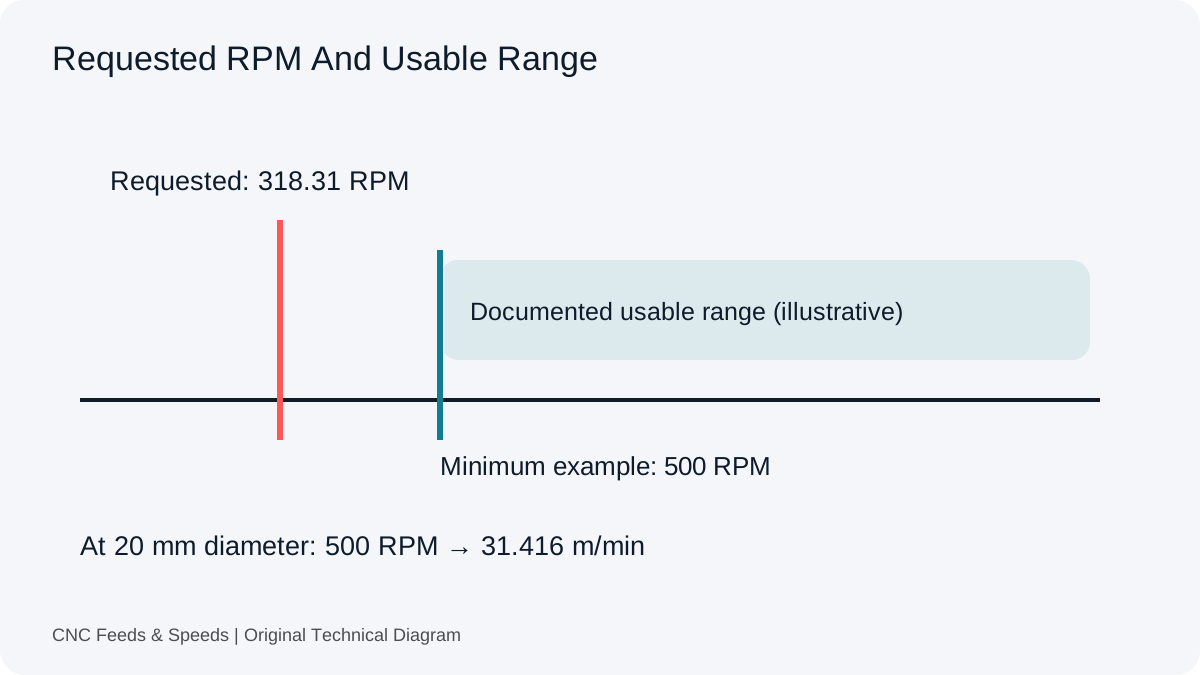
A cutting-speed calculation can return a spindle command your machine cannot use. Compare that theoretical value with the documented operating range before you transfer a feed into CAM. The advanced feed and speed calculator shows the upper limit separately and recalculates dependent outputs at that RPM.
A Capped Milling Example
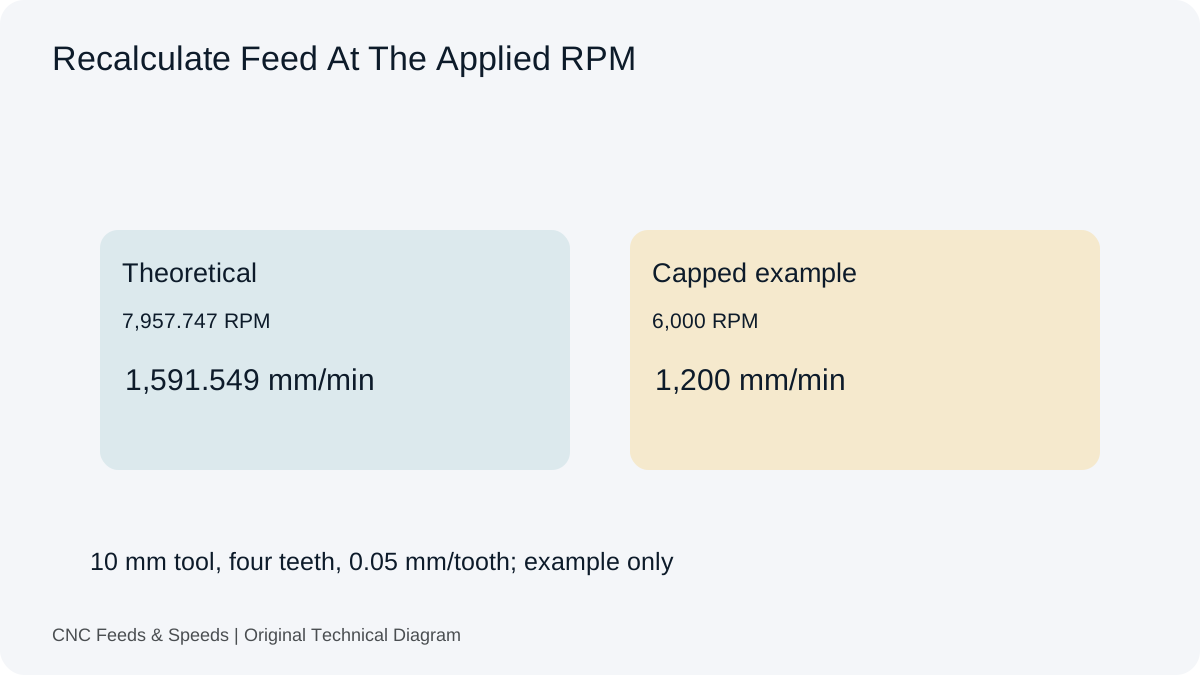
Illustrative inputs: 10 mm cutter, 250 m/min, four effective teeth and 0.05 mm/tooth. Theoretical RPM is about 7,957.747. At a 6,000 RPM ceiling, feed becomes 1,200 mm/min and achieved cutting speed is about 188.496 m/min.
The lower feed preserves the entered nominal feed per tooth in this arithmetic example. It does not prove that the tool cuts well at the lower surface speed or that the spindle has sufficient torque. Keep the original toolmaker reference beside the result and review the rigidity and stickout considerations before a trial.
A Minimum Speed Is A Different Constraint
The upper-limit field does not model a minimum usable spindle speed or the machine torque curve. If the requested condition falls below a documented operating range, do not silently raise RPM and reuse the old feed. Check tooling suitability and the machine instructions, then calculate again from the condition you can actually use.
Frequently asked questions
Should feed always increase when RPM increases?
For a milling calculation with constant flute count and chip load, yes mathematically. The practical cutting condition may still require a different choice.
What happens to chip load if RPM rises but feed stays fixed?
Chip load per tooth decreases because the same feed is distributed across more spindle revolutions.
Does this apply to drilling?
Drilling commonly uses feed per revolution, so feed rate changes with RPM according to F = RPM × f/rev.
Compare the source conventions in Sandvik Coromant’s drilling definitions. The drilling workspace implements both forward linear-feed conversion and a reverse feed-per-revolution check.
Help Improve This Resource
Request A Tool
Describe the calculation your workflow needs, the inputs you already have and the output you want to check. Include units and an example without confidential job details.
Request A ToolReport An Error
Share this page address, the entered values and the result you expected. Include the source of your comparison so the formula, units and explanation can be investigated.
Report An ErrorCNC Feeds & Speeds Editorial Desk
The site brings calculation tools and machining references into one workspace. Use the editorial and site information to understand its purpose and limitations. Send corrections with a reproducible example through the error report form.